Entity selector dropdown menu expanded, with ‘All entities’ selected. Options include Daughter’s accounts, Family trust, Household, LLC 1, LLC 2, Parents’ accounts, and Manage entities.

Organize every entity in one place

Group accounts by entity to keep households, businesses, trusts, and relatives' finances organized. Run built-in reports by entity — including tax reports — or roll them up for a consolidated view. No spreadsheets or workarounds needed.

Share finances dialog showing fields to enter a Quicken member’s first name and email, alongside an ‘Assign Entity Permissions’ table with permission options (None, View-Only, View & Edit) for Household, Parents’ Accounts, LLC 1, Family Trust, Daughter’s Accounts, and LLC 2.

Securely share entities, on your terms

Collaborate with family members, staff, or professionals by giving view-only or edit access to specific entities through Quicken on the web — so you stay in control of sensitive information.

Help menu with ‘Contact Support’ selected, opening an Executive Care Team window that provides a phone number and a ‘Contact support’ button.

White-glove support included

You have your own executive care team with specialists who follow up until your issue is resolved. Schedule a session anytime, including weekends. Or call and talk to a real person immediately.

Add Account screen for an offline Other Investments account, prompting the user to select an investment type: Employee Stock Options, RSUs, Investment Partnership (selected), or Other, with Back and Next buttons.

Include private investments

Track private equity, venture capital, and real estate alongside traditional accounts for a complete view of your net worth across all entities you manage.

Online backup window showing a list of saved backups, with My Finances_Backup 2 selected and options to restore, download, or delete a backup, alongside a Local backup tab.

Set it and forget it online backup

Keep financial data secure in the cloud. If anything happens to your computer, your Quicken file is safe and recoverable. Online backup runs automatically when you turn it on.

Bill Manager Payment Usage screen showing a table of payments with columns for payee, memo, category, and payment amount, including an existing payment to John Smith for lawn services and a new payee field open with options to set up Quick Pay or Check Pay.

Pay up to 100 bills per month

Classic Family Enterprise includes Bill Manager Professional, with up to 100 per month (and the ability to trigger payments directly from your register), you can handle payments across every entity you manage.

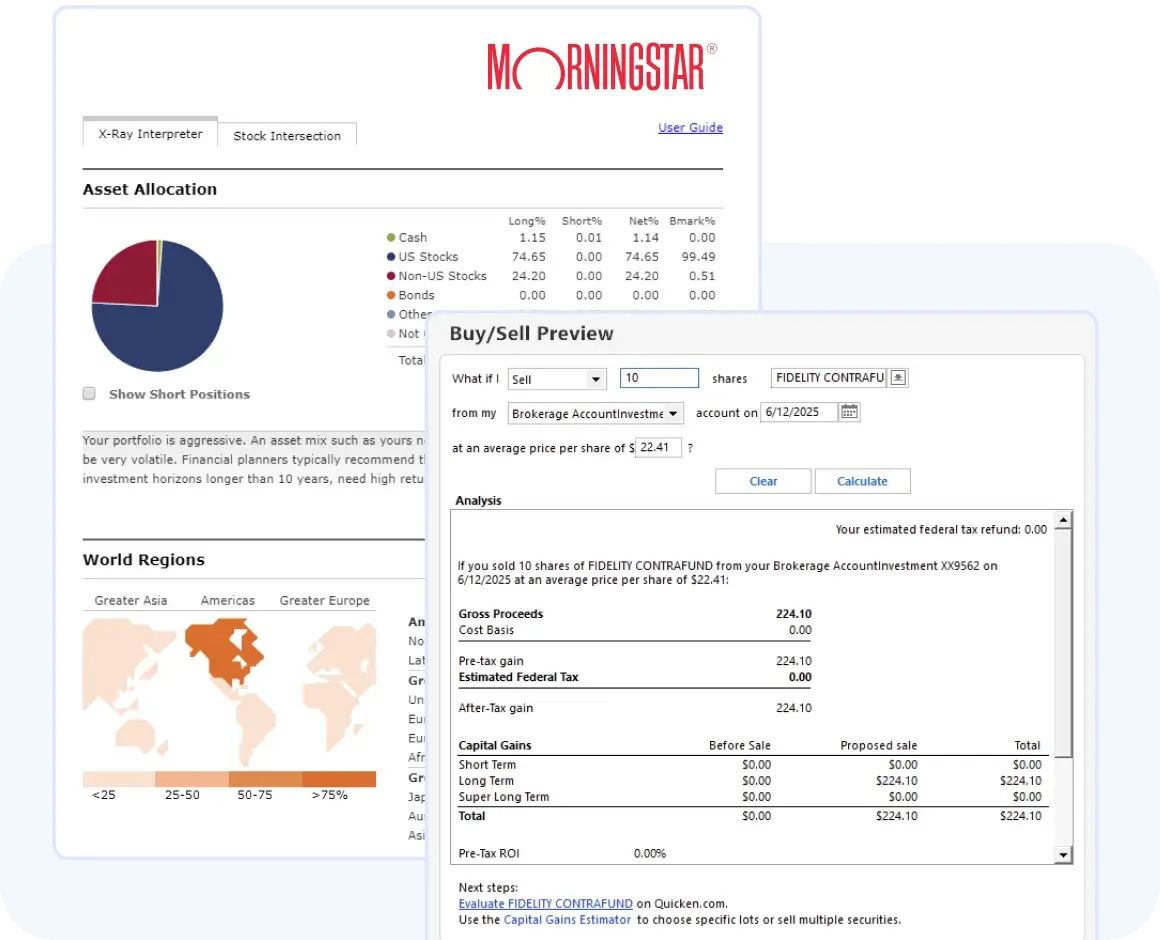
Wall-Street level moves for your entire portfolio Click to close option /assets/images/arrow-down.svg
Morningstar investment analysis screen showing asset allocation charts and a Buy/Sell Preview window estimating proceeds, cost basis, and capital gains for selling shares from a brokerage account.

Get serious insights into performance with IRR, ROI, dividend tracking, & tax-aware lot analysis. Use Morningstar X-Ray® to evaluate allocation, fund ratings, risk — and fine-tune your strategy. Your whole portfolio, optimized.
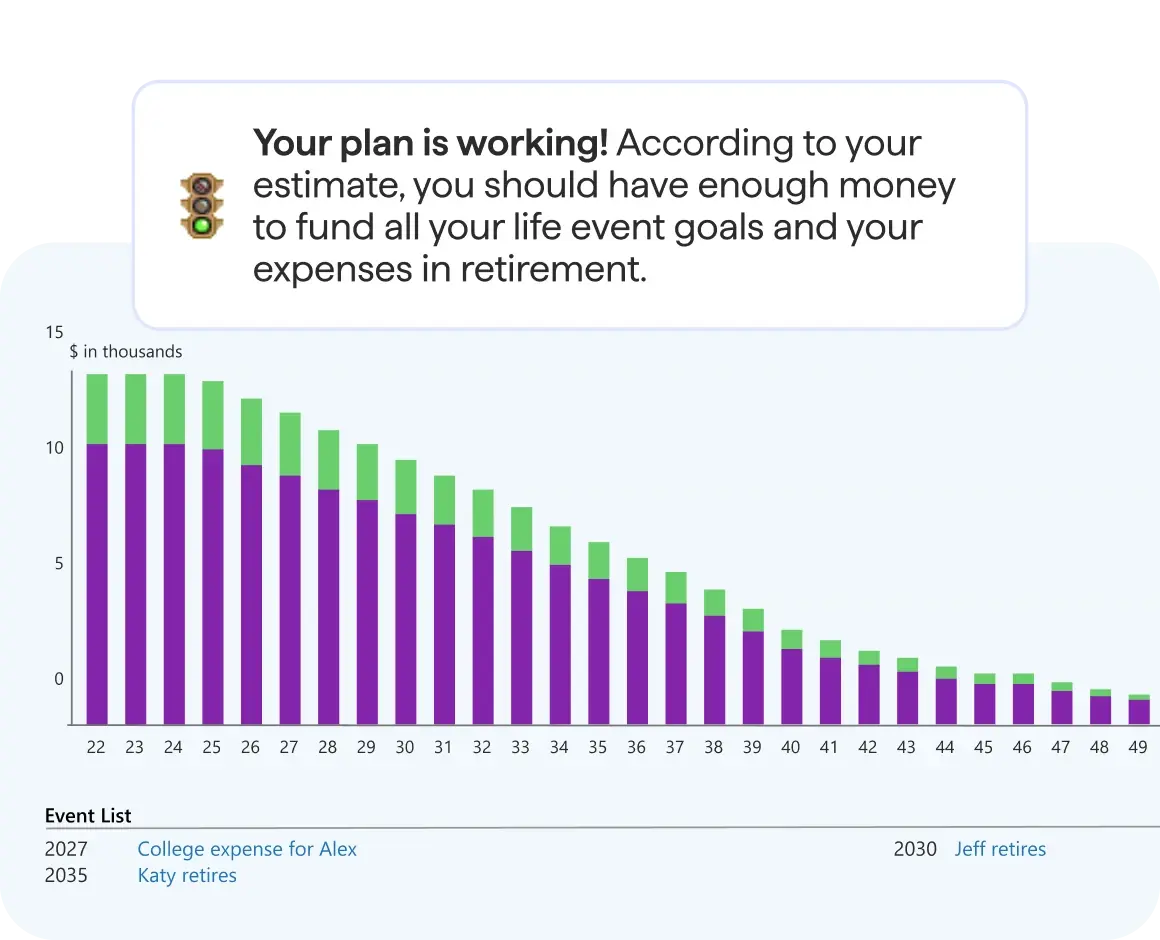
Plan for every milestone Click to close option /assets/images/arrow-down.svg
Retirement plan results screen showing a message that the plan is working and a bar chart of projected funds over time, with an event list including college expenses and retirement milestones.

If you’re saving for retirement, Quicken Lifetime Planner gives you a better path forward. Run projections based on savings and age, model tax implications, and optimize your strategy. No guess-work, just real insights.
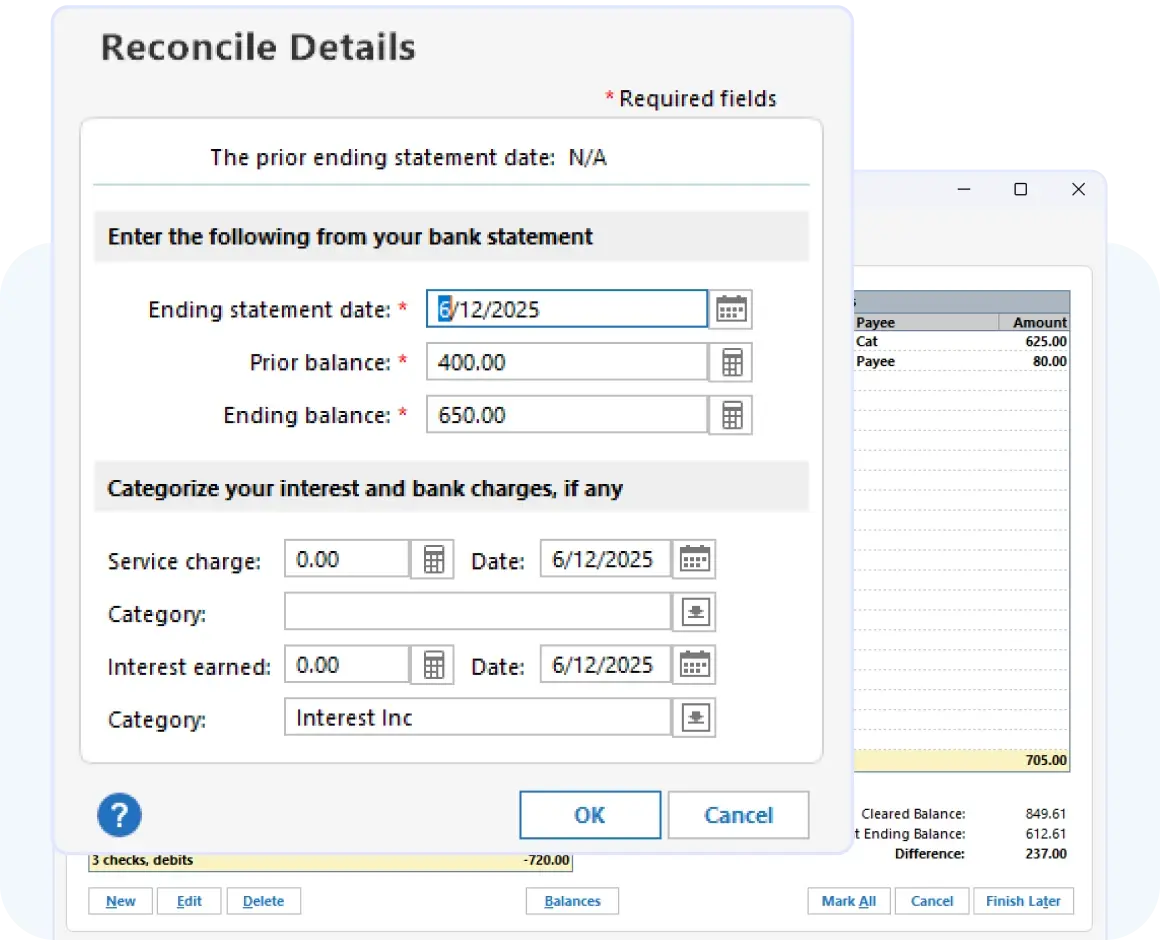
Manage your business and rental properties Click to close option /assets/images/arrow-down.svg
Reconcile Details dialog prompting the user to enter bank statement information, including ending statement date, prior balance, ending balance, service charges, and interest earned, with OK and Cancel buttons.

Track business and personal finances together, with everything kept separate where it counts. Generate P&L statements, cash flow reports, stay tax-ready year round — then export directly to TurboTax when it's time to file.
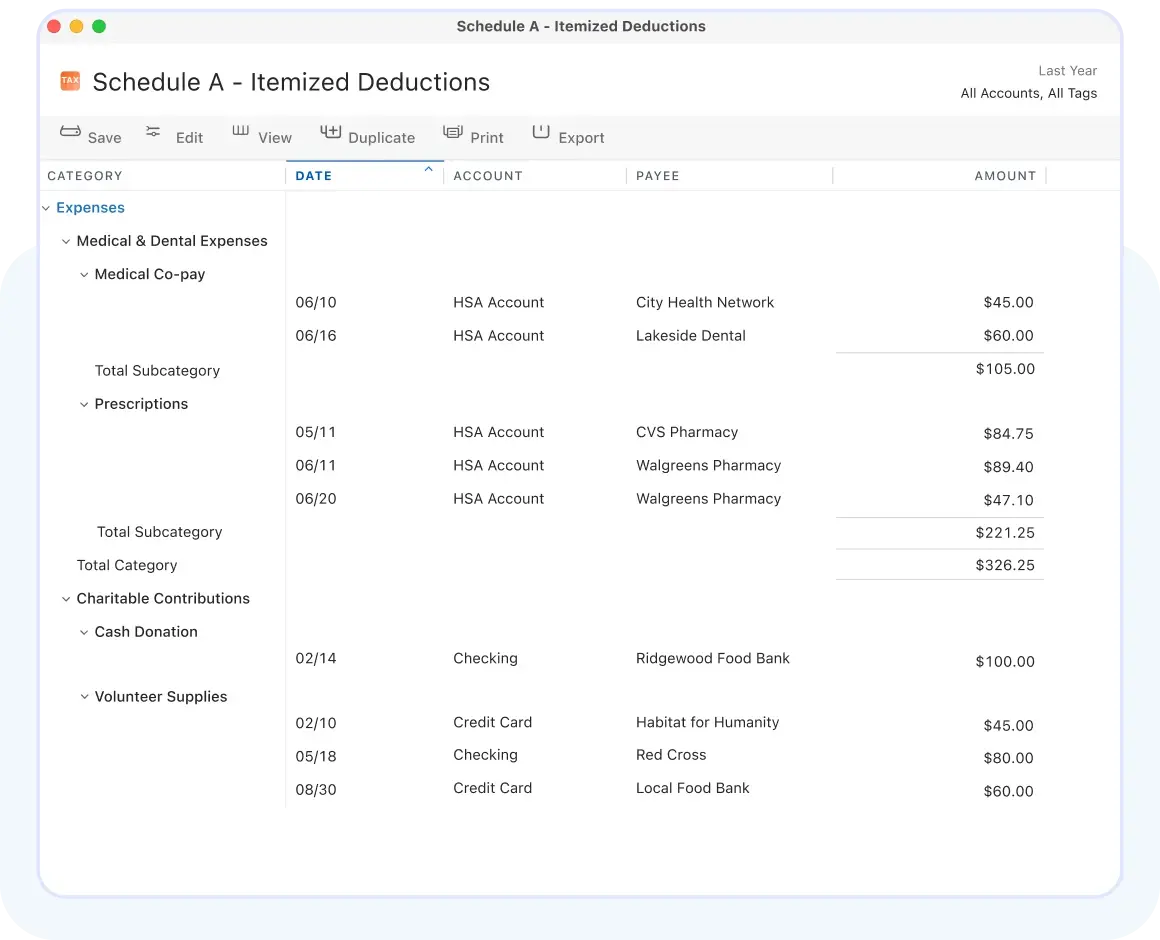
Tax season like a pro Click to close option /assets/images/arrow-down.svg
Schedule A – Itemized Deductions report showing categorized expenses and charitable contributions with dates, accounts, payees, and amounts for the previous year.

Quicken handles Schedules A–F and exports to your tax software — no manual entry needed. Tag expenses as you go and use built-in tools to fine-tune withholdings, find deductions, and boost your refund.
Net worth at your fingertips Click to close option /assets/images/arrow-down.svg
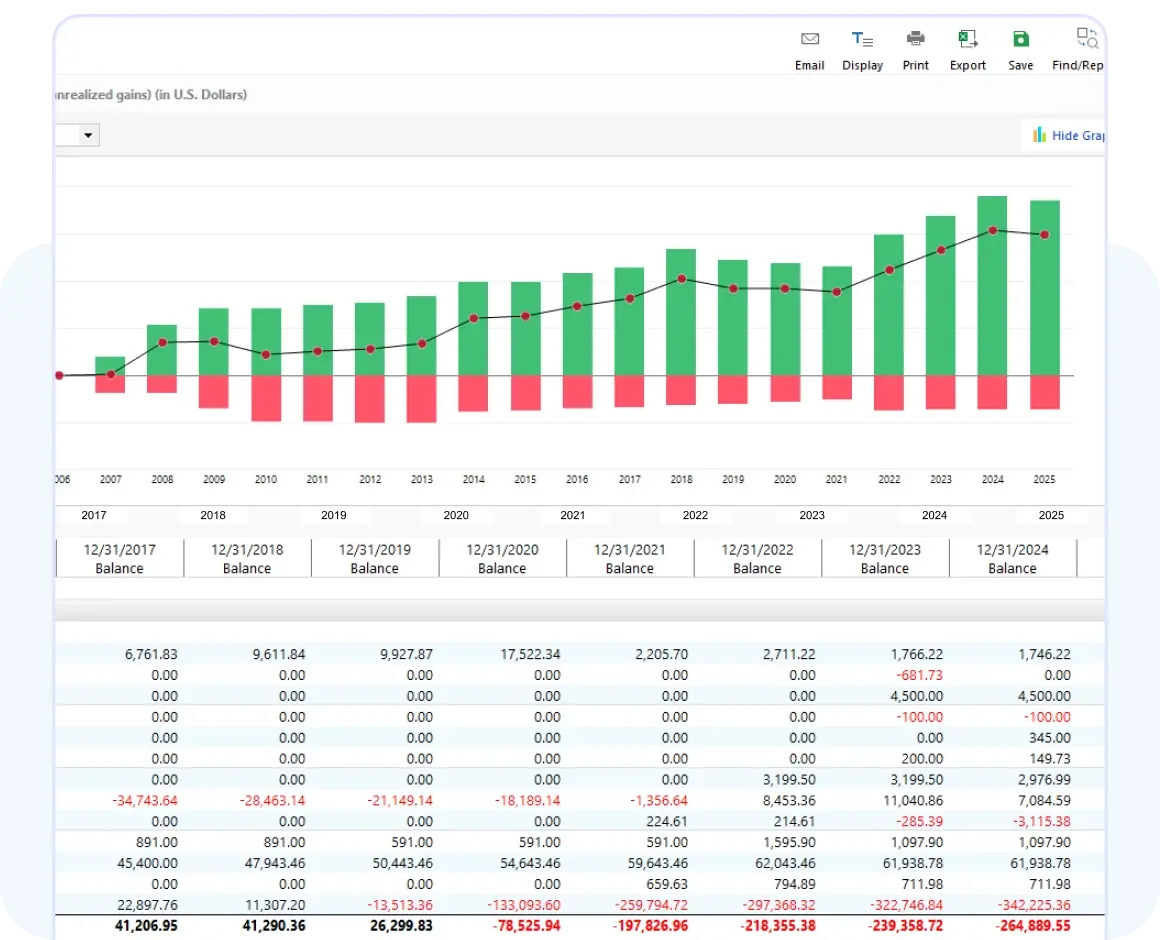
Investment performance report showing a bar and line chart of realized and unrealized gains over multiple years, with a detailed table of yearly balances and gain or loss amounts below.

With data from your connected accounts, Zillow integration for your home, and manual add for any other asset or liability, Quicken Classic gives you a complete picture of your net worth that you can track over time.

Morningstar investment analysis screen showing asset allocation charts and a Buy/Sell Preview window estimating proceeds, cost basis, and capital gains for selling shares from a brokerage account. Retirement plan results screen showing a message that the plan is working and a bar chart of projected funds over time, with an event list including college expenses and retirement milestones. Reconcile Details dialog prompting the user to enter bank statement information, including ending statement date, prior balance, ending balance, service charges, and interest earned, with OK and Cancel buttons. Schedule A – Itemized Deductions report showing categorized expenses and charitable contributions with dates, accounts, payees, and amounts for the previous year. Investment performance report showing a bar and line chart of realized and unrealized gains over multiple years, with a detailed table of yearly balances and gain or loss amounts below.