
Overview
If you are a Quicken Classic Business & Personal user, you can email your invoice directly to your customers. You can also choose to attach a PDF of your invoice to the email.
Quicken Classic Business & Personal on Mac: For full details on invoicing (including how to email invoices),
Instructions
1. Create an invoice by going to the Business tab, then clicking Create Invoice.

Welcome!
How can we help?
✖Find what you need right now:
Still need help? Contact Us
Or Contact Us:
Product Support
For the best support experience, please sign in with your Quicken ID. We'll find your account
and get you to the right team:
For Sales & Renewals, or if you're having trouble signing in:
2. Choose an Invoice account from the dropdown and click OK.
3. Edit the details of the invoice and click Email....
4. Enter the Email address, choose a Format (HTML or Plain text), and click OK.
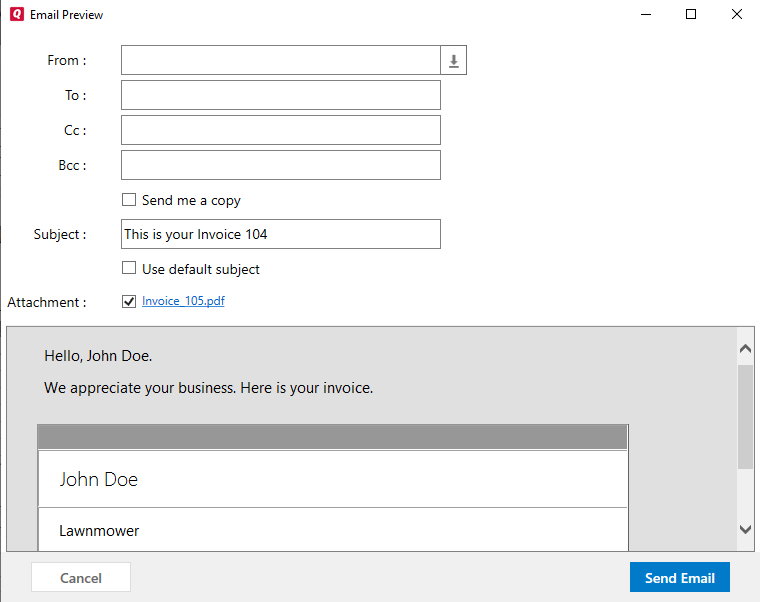
5. Review the text of the email and click Send Email.
Welcome!
How can we help?
✖Find what you need right now:
Still need help? Contact Us
Or Contact Us:
Product Support
For the best support experience, please sign in with your Quicken ID. We'll find your account
and get you to the right team:
For Sales & Renewals, or if you're having trouble signing in:


Community Content
Article ID: GEN00512