Get all the insights you need
Enjoy a bounty of reports, built right in
Run automatic reports from day one for insights into your spending, income, net income, savings, investing, net worth, credit score, taxes, and a monthly summary.

Run automatic reports from day one for insights into your spending, income, net income, savings, investing, net worth, credit score, taxes, and a monthly summary.

Use built-in categories, edit them, or create your own. Add tags, flags, and advanced filters to personalize your financial system and build any report you want to see.

Streamline tax prep. See reports for Schedules A & B and Form 1040. Find potential deductions. Get the detailed records you need, built right in.

Link all your accounts with Quicken’s industry-leading connectivity. Your data syncs automatically, so your reports are always up to date.

Your built-in reports are ready to go


When you connect your accounts, Quicken imports and categorizes your transactions automatically, creating an instant foundation for powerful reporting.
Customize with options & filters for unique insights at a glance
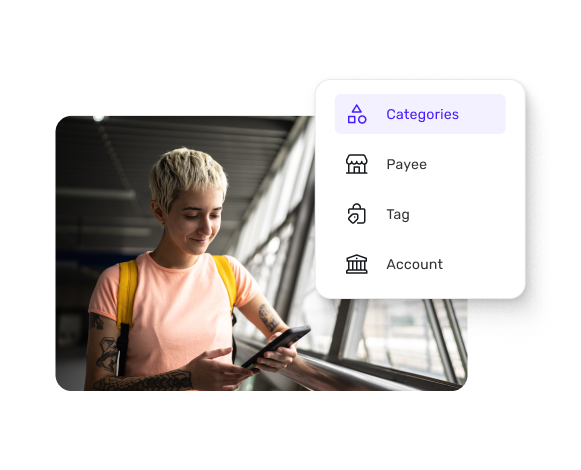
Create any view you want to see. Filter by category, payee, account, tag, or date — or design custom reports that spotlight whatever drives your decisions.
Yep, credit score’s included

Monitor your credit score right where you manage your money. See the key factors shaping your score and get personalized recommendations to improve it.


Quicken Simplifi

Mobile

Web

See what’s left to spend or save, always up to date
Budget in as much or as little detail as you like
Include your Savings Goals in your budget
Discover bills & subscriptions you don’t use
Quicken Business & Personal
Mobile
Web
Have a small business or freelance income?
What types of reports does Quicken Simplifi offer?
Quicken Simplifi provides 9 core report types that can be fully customized to show you anything you want to know about your finances: spending, income, net income, savings, investments, net worth, credit score, taxes, and a monthly summary. Filter reports by account, category, payee, tag, time frame, or more advanced filters to focus on the insights you need to manage your money. Investment performance reports, available in the investing dashboard, show TWR and IRR over any time frame you’d like to see. Our tax reports are unique in the industry, showing you each number you need, line by line, to fill out Schedule A & B and Form 1040 — whether you’re doing your taxes yourself or sending the report to your accountant.
How customizable are the reports in Quicken Simplifi?
Every report in Quicken Simplifi is fully customizable. You can filter reports by any combination of accounts, categories, tags, or payees to focus on exactly what matters to you, and you can even choose to exclude certain transactions — like if you want to see your monthly spending without that vacation you saved up for ahead of time. Time periods are flexible too. Analyze data from last week, last quarter, or any date range you choose. You can even save your customized report settings so you can see your finances the way you want to every time. This level of customization means you're not stuck with generic reports that might miss the nuances of your financial situation — instead, you can build the precise analyses you need.
Can I create my own custom reports beyond the built-in options?
Yes, Quicken Simplifi's flexible reporting engine lets you design any option to match your specific financial tracking needs. For instance, you might create a report that tracks your home improvement spending for tax purposes, monitors your spending at specific stores, or analyzes the performance of different income streams over time. You can also use custom tags and categories you've created to build reports that wouldn't be possible with standard financial software. This means if you have a unique way of thinking about your finances or specific metrics you want to track, you can build reports that reflect your approach rather than adapting to someone else's system.
How do tags and categories work with reports?
Tags and categories form the foundation of Quicken Simplifi's reporting flexibility. Categories help organize your transactions into standard groups like groceries, entertainment, or utilities, while tags add an extra layer of customization that crosses category boundaries. For example, you might tag all vacation-related expenses across multiple categories (flights, hotels, dining) with a "Summer 2025 Trip" tag, then run a report showing total vacation spending. You can create unlimited custom tags for anything you want to track — a home remodel, shared costs with a partner, or spending you're trying to reduce. In reports, you can filter by categories, tags, or both, giving you multiple ways to slice your financial data. This dual system helps you maintain organized records for standard financial tracking with the flexibility to analyze your money in unique ways.
How often do reports update with new data?
Quicken Simplifi’s reports update in real time as new transactions flow into your connected accounts. When your bank processes a transaction, it appears in your reports automatically. So the spending report you check in the morning can reflect last night's dinner purchase, and your income report can include today's direct deposit as soon as it hits your account. The platform syncs with your financial institutions (connecting to more banks than any other personal finance app), ensuring your reports are always up to date. This is especially valuable for time-sensitive analyses, like checking if you're on track with monthly spending goals or verifying that expected payments have arrived.
How far back can I analyze data in reports?
Quicken Simplifi stores all your financial data from the moment you connect your accounts, with no arbitrary limits on historical analysis. If your bank provides historical data when you first connect, Simplifi imports it all, sometimes giving you months or even years of past transactions to analyze immediately. As you continue using the platform, your data history grows, for increasingly rich, long-term trend analysis. You can run reports comparing this year to last year, analyze patterns over multiple years, or track your net worth growth since you started using the platform. This comprehensive historical data is particularly valuable for year-end tax preparation, long-term financial planning, and understanding how your financial habits have evolved over time.
Can I export or share reports from Quicken Simplifi?
Quicken Simplifi offers secure data sharing so you can easily manage and plan your finances with the people you trust. You can share your finances with anyone you need to, letting them view your complete financial picture in Quicken Simplifi, whether your accountant needs to see your transactions for tax preparation, you want to share your investment portfolio with a financial advisor, or you and your partner want to work together on your shared financial goals. When you share your account, the person you share with gets their own login and password, letting you revoke their access at any time. They don’t even need their own subscription, making it easy to collaborate with the people who help you manage your financial life.