
Overview
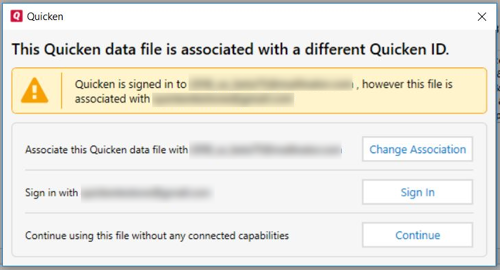
When opening a data file, you may encounter the following message:
Instructions
This message occurs when you are signed into your Quicken ID and you open a file that is already associated with a different Quicken ID.
You can choose to:
- Update the Quicken ID the data file is associated with to the ID you are currently signed into by clicking Change Association.
- Sign in with the Quicken ID the data file is associated with by clicking Sign In.
- Click Continue and use the data file without any connected services (such as transaction download).


Community Content
Article ID: GEN00656