
Overview
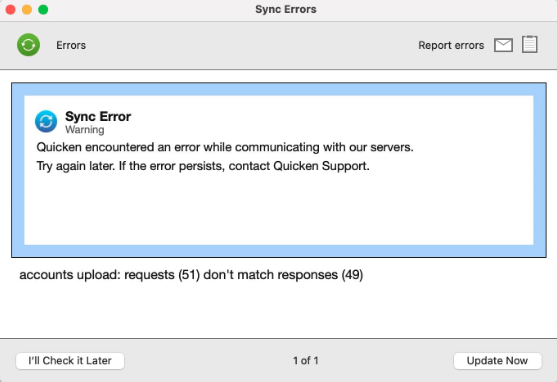
These errors occur when there is an issue with information refreshing in Quicken Cloud Services.
Welcome!
How can we help?
✖Find what you need right now:
Still need help? Contact Us
Or Contact Us:
Product Support
For the best support experience, please sign in with your Quicken ID. We'll find your account
and get you to the right team:
For Sales & Renewals, or if you're having trouble signing in:
To resolve this issue
This is typically resolved by removing your accounts from Sync and then adding them back.
To remove the accounts from sync:
1. Go to Quicken > Settings.

Welcome!
How can we help?
✖Find what you need right now:
Still need help? Contact Us
Or Contact Us:
Product Support
For the best support experience, please sign in with your Quicken ID. We'll find your account
and get you to the right team:
For Sales & Renewals, or if you're having trouble signing in:
2. Select the Mobile, Web & Alerts tab, then click Accounts.

Welcome!
How can we help?
✖Find what you need right now:
Still need help? Contact Us
Or Contact Us:
Product Support
For the best support experience, please sign in with your Quicken ID. We'll find your account
and get you to the right team:
For Sales & Renewals, or if you're having trouble signing in:
3. Use the checkboxes to remove all your accounts from Sync.
4. Click Update.
5. Close and reopen Quicken.
To re-add the acounts to Sync:
Go to Quicken > Settings.
Go back to the Mobile, Web & Alerts tab and select Accounts.
Use the checkboxes to add your accounts back to Sync.
If the issue persists
If the problem continues,


Community Content
Article ID: GEN00877