
Overview
Want to make sure you have the latest patch update for your Quicken software? You've come to the right place!
Before you begin
While we provide the patch update below, they can also be found in Quicken by going to Help > Check for Updates.
You can check your release version by opening Quicken and going to Help > About Quicken.
If you reinstall Quicken, make sure you've installed the latest patch release before opening your data file; otherwise, you may be unable to use online services.
Important: If you missed any releases, don't worry. You only need to download the most recent release to update Quicken.
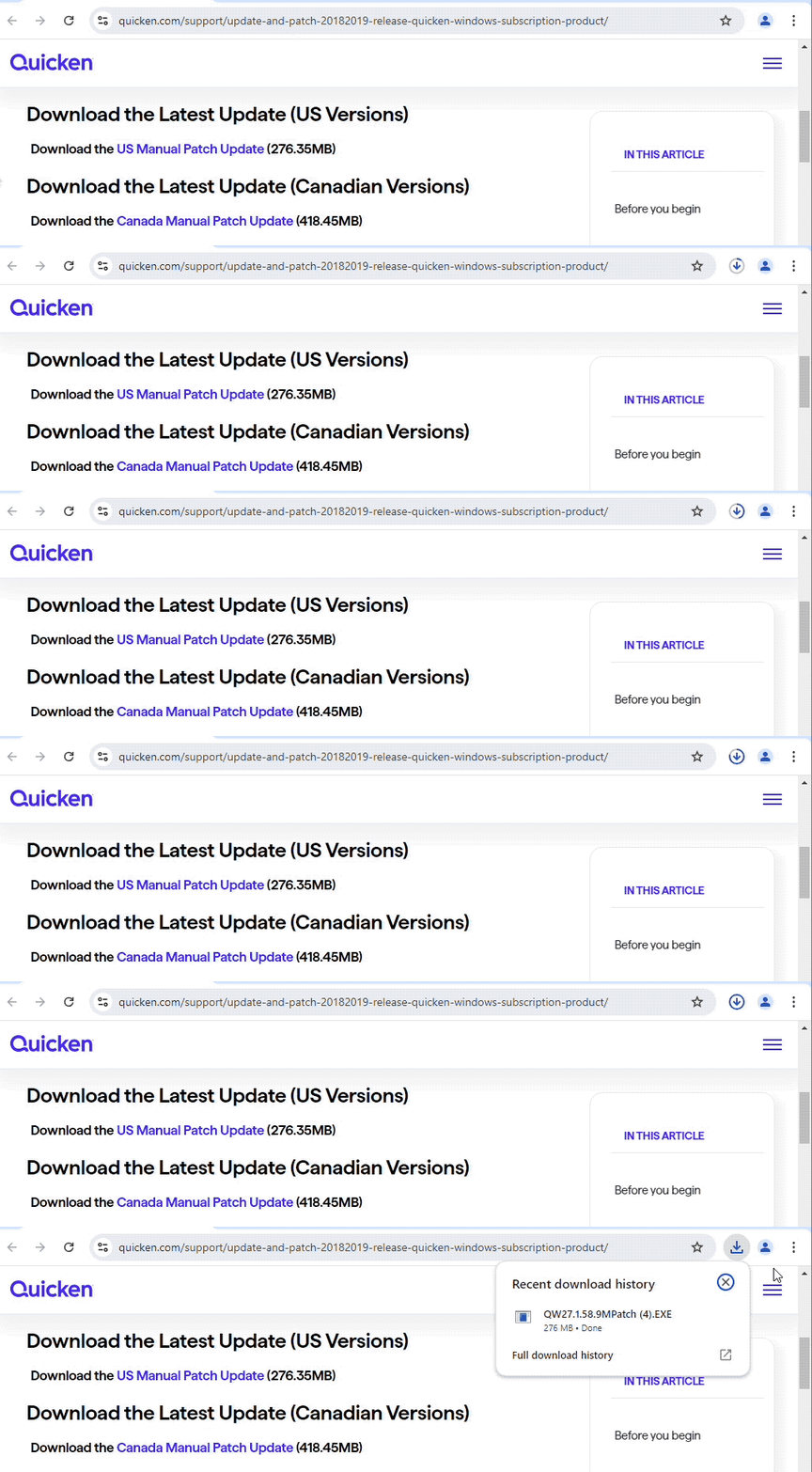
Download the Latest Update (US Versions)
Download the
Download the Latest Update (Canadian Versions)
Download the
How to Install the Update (US and Canada)
How can we help?
✖Still need help? Contact Us
Click on the link above for the update you prefer (these steps apply to both).
In the lower-left corner of your browser, click Open file when the download is complete.
Follow the on-screen instructions to install the update.
When finished, you can verify the release version of Quicken by selecting the Help menu in the software and choosing About Quicken.
Release Notes (U.S.)
Version R66.28 (US Versions, March 2026)
FIXED - Fixed an issue in the Add or Reconnect account flow where linking to an existing account displayed a long list of mixed account types; now only appropriate account types are listed. We also fixed an issue with scrolling in this same list.
FIXED - Fixed an issue where importing TurboTax data into Quicken resulted in an error.
Version R66.23 (US Versions, March 2026)
What's Fixed
FIXED - Fixed an issue where payment accounts could be deactivated after a dataset reset.
FIXED - Fixed an issue where updating the product could change your Backup preferences.
FIXED - Resolved an issue that could occasionally cause a crash.
Version R66.18 (US Versions, February 2026)
What's Fixed
FIXED - Issues causing crashes in some instances.
Version R66.12 (US Versions, February 2026)
What's Fixed
FIXED - Issues causing crashes in some instances.
Version R66.11 (US Versions, February 2026)
Investments
IMPROVED - Restored snapshot summaries in the Portfolio X-Ray report. The summaries are now AI-generated. You can turn them off if desired.
IMPROVED - Added a report preference for short sale gain and loss reporting in the Schedule D report.
IMPROVED - Added support for treating more than one money market fund as cash in brokerage account settings.
IMPROVED - Improved the investment transaction search results dialog layout and column labels.
IMPROVED - Improved the Add Security window and made the instructions to add crypto and precious metals easier to find.
Reports
IMPROVED - Improved category search and account group selection in report customization.
IMPROVED - Updated the Investment Partnership Detail report to support import and export of Buy and BuyX transactions.
FIXED - Fixed an issue that could cause invalid date entry in report customization.
FIXED - Fixed an issue where using Enter key didn’t commit date changes in report customization.
Sync and Connectivity
IMPROVED - During account connection migration, Quicken now adds an adjustment transaction instead of changing the Opening Balance transaction.
IMPROVED - Simplified the reauthorization flow for EWC+ accounts to reduce steps and make completion clearer.
FIXED - Fixed an issue where syncing an auto-matched transaction could update the wrong balance.
FIXED - Fixed an issue where reactivating a deactivated account could add an incorrect balance adjustment.
Register and transactions
FIXED - Fixed an issue where pending transactions could be duplicated.
FIXED - Fixed an issue where an attachment could disappear from a transaction after you changed the transaction’s category.
FIXED - Fixed an issue where a posted transaction could be missing after a pending transaction was removed.
FIXED - Fixed an issue where editing a pending transaction could leave blank lines in the register.
Miscellaneous
IMPROVED - Updated FY2026 mileage rates to 72.5¢ per mile for business use, 20.5¢ per mile for medical or moving purposes, and 14¢ per mile for charitable service.
FIXED - Fixed an issue where a Miscellaneous Expense entered after a cash transfer in an IRA account could be recorded as a transfer.
FIXED - Fixed an issue where the Tax Planner could calculate tentative Alternative Minimum Tax incorrectly after the phaseout threshold.
FIXED - Fixed an issue where One Step Update could change a split paycheck’s second deposit to a payment and could remove past-due paychecks.
FIXED - Fixed issues that could cause crashes or slow performance in some cases.
For previous release notes,
Release Notes (Canada)
Release R66.26 (Canada Versions, March 2026)
What’s Improved
Added support for treating more than one money market fund as cash in brokerage account settings.
Improved the investment transaction search results dialog layout and column labels.
Improved the Add Security window and made the instructions to add crypto and precious metals easier to find.
Improved category search and account group selection in report customization.
Updated the Investment Partnership Detail report to support import and export of Buy and BuyX transactions.
During account connection migration, Quicken now adds an adjustment transaction instead of changing the Opening Balance transaction.
Simplified the reauthorization flow for EWC+ accounts to reduce steps and make completion clearer.
What’s Fixed
Fixed an issue that could cause invalid date entry in report customization.
Fixed an issue where using Enter key didn’t commit date changes in report customization.
Fixed an issue where syncing an auto-matched transaction could update the wrong balance.
Fixed an issue where reactivating a deactivated account could add an incorrect balance adjustment.
Fixed an issue where pending transactions could be duplicated.
Fixed an issue where an attachment could disappear from a transaction after you changed the transaction’s category.
Fixed an issue where a posted transaction could be missing after a pending transaction was removed.
Fixed an issue where editing a pending transaction could leave blank lines in the register.
Fixed an issue where a Miscellaneous Expense entered after a cash transfer in an IRA account could be recorded as a transfer.
Fixed an issue where One Step Update could change a split paycheck’s second deposit to a payment and could remove past-due paychecks.
Fixed issues that could cause crashes or slow performance in some cases.
For previous release notes,
Troubleshooting
If you click the link for the patch and the download doesn't begin, make sure your browser does not have a pop-up blocker enabled that could be preventing the patch from downloading.
If you are seeing an Unable to check for updates, the server file failed to load error, you find more information on that message by
clicking here .
If you encounter any additional problems while attempting to download the Manual Patch, please reach out to

